Last updated: 19 November 2026. Google says the rollout can take up to two weeks, so check the Google Search Status Dashboard for the latest status before you act on anything below.
Your rankings moved this week and you’re wondering what you did wrong. Before you change anything, you need to know that you may not have done anything wrong. The Google November Core Update started on 10 November 2026, and if you serve customers in the UK, USA, Australia or the UAE, your search data is probably moving right now.
Below is a calm, step-by-step check of what to look at this week, what to leave alone, and when to make changes.
Why Do Rankings Move During a Core Update?
Core updates change how Google’s systems assess content. Pages can move up or down because other pages were re-assessed, not only because your page got worse. Google’s core update guidance says a drop doesn’t mean a page has a problem. This is why a drop is not a penalty.
Industry sites also report fluctuations this week. Treat those as signals that volatility exists, not as proof of what changed.
When Should You Analyze the Results?
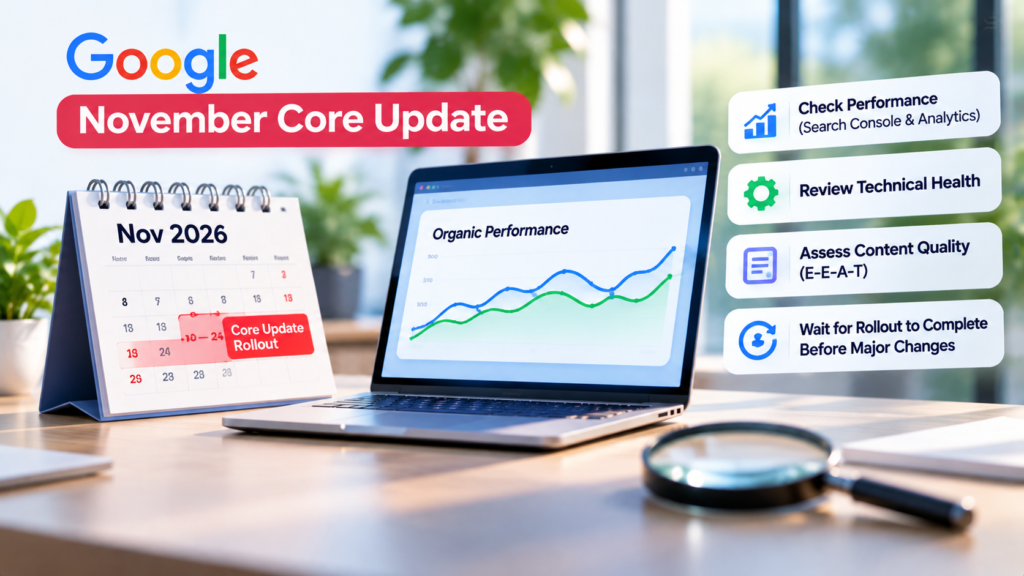
Don’t judge a core update while it is still rolling out. Google’s guidance is to wait until it is complete, then compare a full week after the rollout ends with the week before it began.
Hypothetical example: if the rollout finished on 24 November, you’d compare 1–7 December with 3–9 November.
Watch for seasonality. This update overlaps Black Friday and Cyber Monday. Retail, e commerce and offer-led sites will see traffic changes that come from shopping behaviour, not the update. Compare against last year’s equivalent period where you can.
What to Check on Your Website This Week
Search Console and Analytics
Open Performance → Search results and compare the periods described above. Look at total clicks (your main outcome figure), impressions (a fall points to visibility changes), average CTR (it can fall when your position slips or the results page changes) and average position (a blended average that hides a lot, so don’t rely on it alone).
Then dig into the detail:
-
- Queries: sort by clicks. A drop in a few low-value queries is very different from a drop on your main service keywords.
-
- Pages: is the change site wide or limited to a few pages or one section? Note your top ten pages and track each.
-
- Branded vs non-branded: branded traffic is usually steadier, and core updates tend to show in non-branded queries.
-
- Country, device and search type: compare the UK and USA separately. A mobile-only or one-country change tells a different story from a site wide drop.
-
- Business results: in GA4, check organic sessions, enquiries, bookings and revenue. A small ranking dip with steady leads is very different from falling leads.
Technical Health and Content
Rule out your own mistakes first. Check for accidental no index tags or blocked pages, broken canonical or redirects, and mobile problems. Also check that your data is reliable. Design Rush reported a Search Console logging error between 9 and 11 November, and Search Engine Journal reported bot-driven click spikes. Both are industry reports, not Google confirmations.
Then review your most-affected pages against Google’s content self-assessment questions. Is the content original, useful and written for people? Also search your main terms in a private window. Sometimes you haven’t dropped, the results page has simply changed around you, with more AI features, videos or local results above you.
Keep a Record, Then Decide
Write down the dates, the numbers and anything you changed recently.
Should you update your website now? Usually not yet. If the rollout is still running, any changes you make will be mixed in with the update’s own movement. Wait until it completes and you’ve done the comparison. If you then see a real, sustained drop on important pages, improve those pages and note the date. Fix genuine technical faults immediately, whatever the update is doing.
What Not to Do
-
- Don’t delete pages because they lost traffic.
-
- Don’t rewrite your whole site in one go.
-
- Don’t buy links or use shortcuts to “recover”.
-
- Don’t compare a single day against the previous day.
-
- Don’t treat a ranking drop as a manual action. Check the Manual Actions report in Search Console if you’re unsure; it’s a separate thing.
Is Recovery Possible?
Often, but there are no guarantees and no set timeline. Google has said improvements may not show until a later core update, so recovery may take months. Be wary of anyone promising a quick fix or a guaranteed return.
How AI.Que Media Can Help
If your Search Console data is confusing, or you’re not sure whether a drop is the update, seasonality or something technical, we can help you read it properly. Our work covers content marketing, local Seo,conversion rate optimisation and landing pages, alongside Google Ads so paid and organic traffic work together. You can see our approach in ourcase studies.
Not sure whether the November core update affected your site? Talk to the AI.Que Media team and we’ll review your data with you before you change anything.